Features

Everything from the first CAD file to the last invoice

One login for the office, the laser, the press brake and dispatch. Here is what each part of the system does.

CAD & STEP import

Start from the files your customers send

Upload DXF, DWG, NC1 or STEP files in one go. Pick which layers are cut, etched or folded, check every closed figure, and create the parts with material, grade and quantity in a single step.

  • DXF, DWG and NC1 profiles
  • STEP files unfold to flat DXF automatically, flat plates included
  • Excel part lists matched to CAD files by part number
  • Every part keeps its geometry, weight and price in the part library
  • Assemblies group parts into kits you can quote in one line
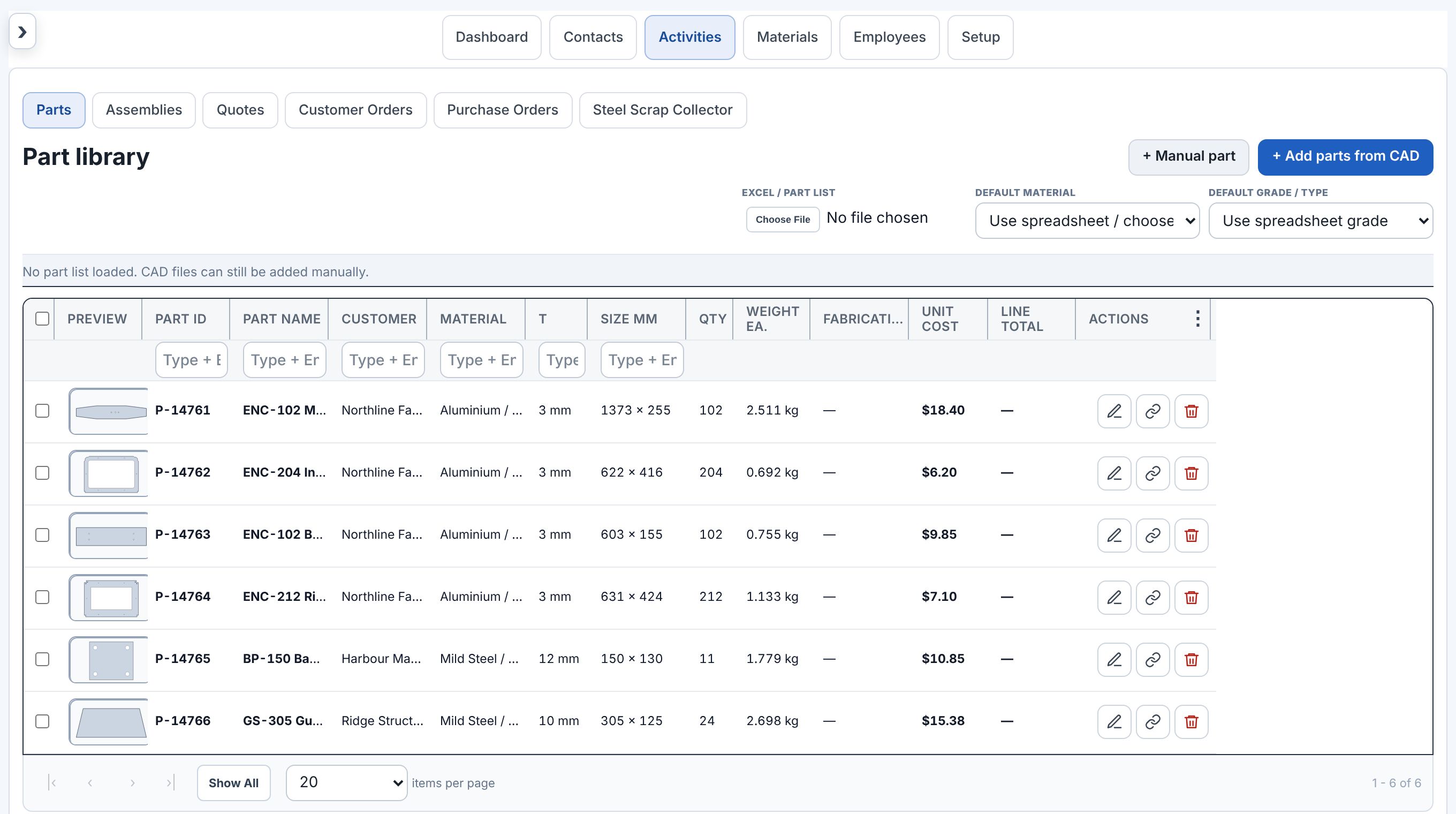
Part library listing parts with previews, material, thickness, size, quantity, weight and price
Part library · geometry, material, weight and price on every part · sample data
Nesting

Nests that use the sheet, not just fill it

The nesting engine places true part shapes, mixes part types on a sheet and picks the layout with the fewest sheets, then the largest usable offcut. Every layout is checked part by part before you see it.

  • Mixed-part sheets for large repeat jobs
  • Any rotation, 90° steps or grain-locked
  • Approve each material and thickness on its own
  • The approved nest is saved on the quote and the order
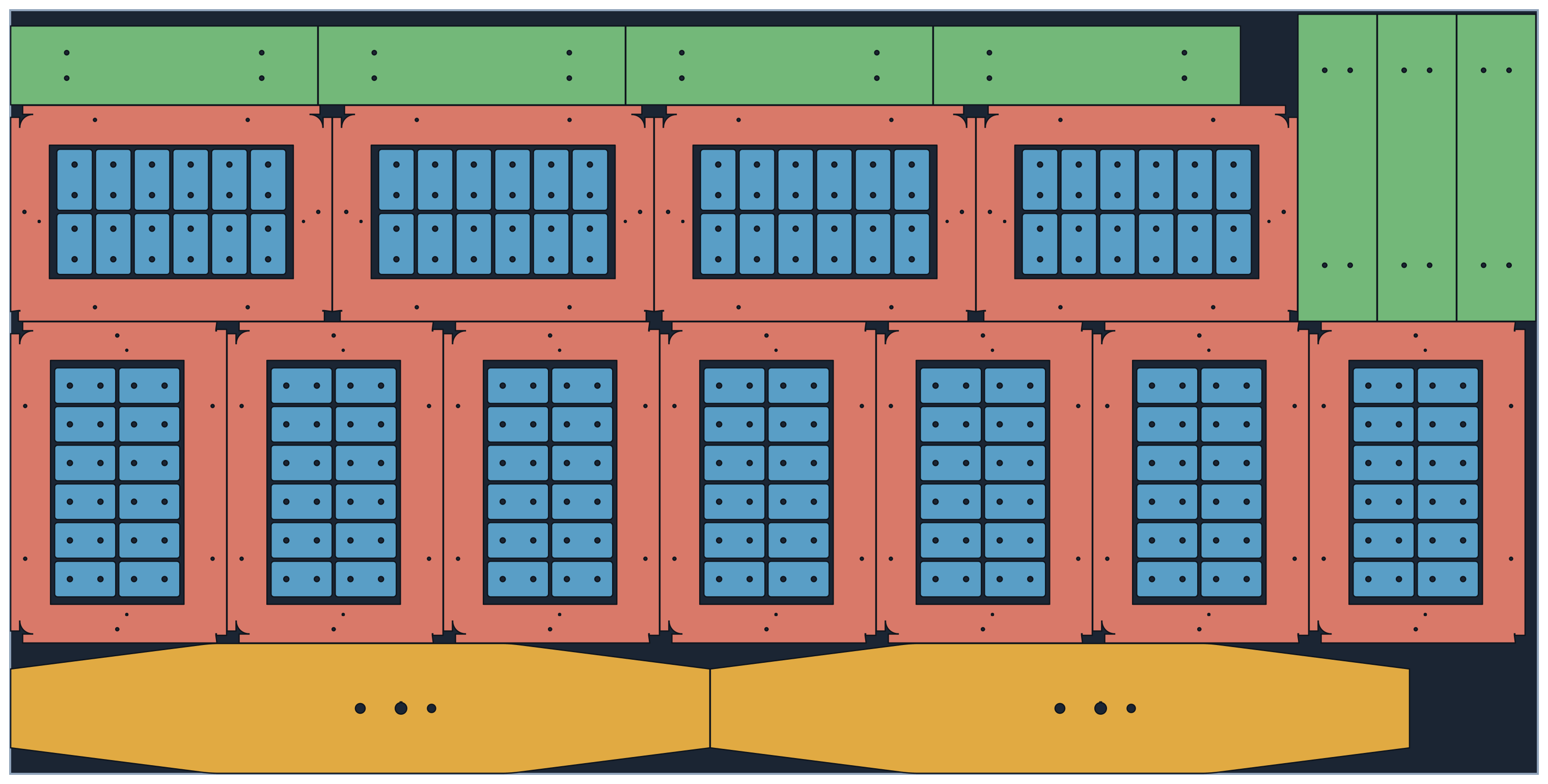
NEST · SHEET 15052 aluminium · 3.0 mm · 3000 × 1500Part-in-part · 152 parts on one sheet
A 3000 by 1500 aluminium sheet with enclosure lids, base strips and plates nested edge to edge, with small tabs cut from inside each lid opening
Right lidBottom plate Main enclosureSmall parts cut from the openings
Quotes

Prices you can stand behind

Quotes are built from the nest and the numbers you control. Change a quantity or material and the price follows.

Sheet costsPer material, grade, thickness and sheet size
Cutting parametersSpeed, pierce time and lead-in per material and thickness
Setup costSpread across every part in the same material and thickness
FabricationFolding, welding and other processes priced per part
Discounts & deliveryShown on the quote only when they apply
One-click PDF & emailSend the quote from your own mailbox
Orders & production

See what is due, what is cutting and what has shipped

A quote becomes an order with one click. Orders carry their parts, nests, due dates and status, and every document the floor needs prints from the order.

  • Due today, tomorrow and overdue at a glance
  • Job cards and material pull lists for the laser
  • Folding status and folding report
  • Packing slips, delivery dockets and courier labels
  • Linked records from quote to order to invoice
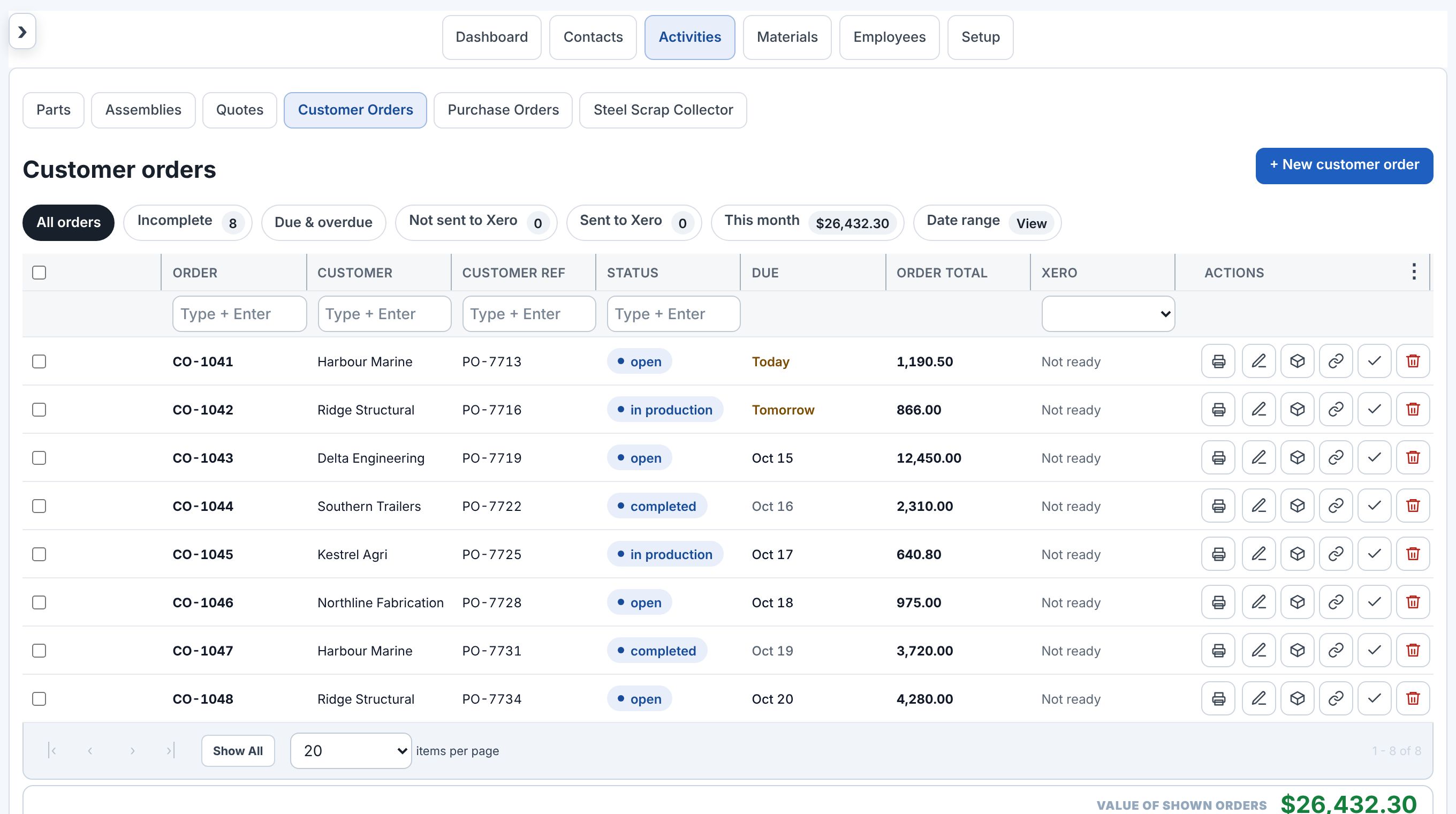
Customer orders list with status, due dates, totals and action buttons
Customer orders · due today, tomorrow and overdue at a glance · sample data
Purchasing & stock

Buy the right sheet, know what is on the rack

Raise purchase orders against the stock you keep, email them to the supplier and mark them received when the truck arrives.

Purchase ordersSheet, tube, stock items or subcontract work
Email to suppliersPDF purchase orders sent from the ERP
Stock listSheets, tube and general items with sizes and costs
Steel scrap collectorTrack scrap off the bed and what it is worth
Duplicate & reorderCopy an earlier purchase order in one click
Linked recordsSee which orders a purchase was for
Invoicing

Finished jobs become invoices, not paperwork

Completed orders go to your accounting software as draft invoices with the right number, reference and due date, and the invoice PDF can be emailed to the customer straight away.

Draft invoicesInvoice number matches the order number
Customer referenceThe customer’s PO goes on the invoice
Due datesSet from completion date and payment terms
Send invoicesEmail the PDF to the customer from the ERP
FreightCourier charges added to the order automatically
Bulk sendSend several finished orders at once
Email

Send from the ERP, as you

Connect your business mailbox once. Every document goes from your own address, with your template and signature, and stays linked to the job.

To customersQuotes, order confirmations, packing slips and order-complete notices
To suppliersPurchase orders with the PDF attached
TemplatesOne per document type, with the customer’s name and references filled in
SignaturesA personal signature for each user
Dashboard

The whole shop on one screen

Open the ERP and see what needs attention today: orders due, the quote pipeline, machine status and production workload.

Orders requiring attentionLate and due-soon orders first
Quote pipelineDraft, sent and accepted
Machine statusLive from your laser’s cloud connection
Quick actionsNew quote, order, PO, CAD import and STEP to flat
Integrations

Works with the tools already on your desk

AccountingAccounting softwareCompleted orders become invoices in your accounting package, with the PDF emailed to your customer. Approved timesheets go to payroll.
EmailYour email accountQuotes, POs, order confirmations and packing slips sent from your own business mailbox, with your templates and signatures.
MachinesLaser machinesLive machine status and the cutting queue from your laser’s cloud connection, inside the ERP.
FreightCouriers & freightRates, consignments, labels and tracking from your courier, with freight added to the order.
FreightAddress lookupDelivery address suggestions while you type in dispatch.
AIAI assistantsAn AI quoting connector that works from your real customers, prices and nesting.
FilesExcel part listsLoad a customer part list and match it to their CAD files by part number.
FilesCAD & 3D filesDXF, DWG, NC1 and STEP, straight from the customer’s email.
Security & accounts

Your data stays your company’s data

  • Each company is fully separated: users, settings, connections and records
  • Two-factor sign-in with any authenticator app
  • Per-user access, licensed seats and sign-out of every session from one place
  • Integration tokens are encrypted and never sent back to the browser
Book a demo

See it running on your own parts

Send a few CAD or STEP files from a recent job. We will nest and price them in the system and walk you through the result.

Email us sales@platecutting.com
Open in mail app
Call us
New Zealand+64 22 155 7050
Book a demo Call AU Call NZ